See what visitors do, not who they are.

Click maps, scroll depth, and session replays reveal exactly how people use your site. Every keystroke and form field is masked automatically, so recordings never capture PHI.
Inputs auto-maskedNo PHI in recordingsSigned BAA included
your-practice.ghostmetrics.io / heatmaps
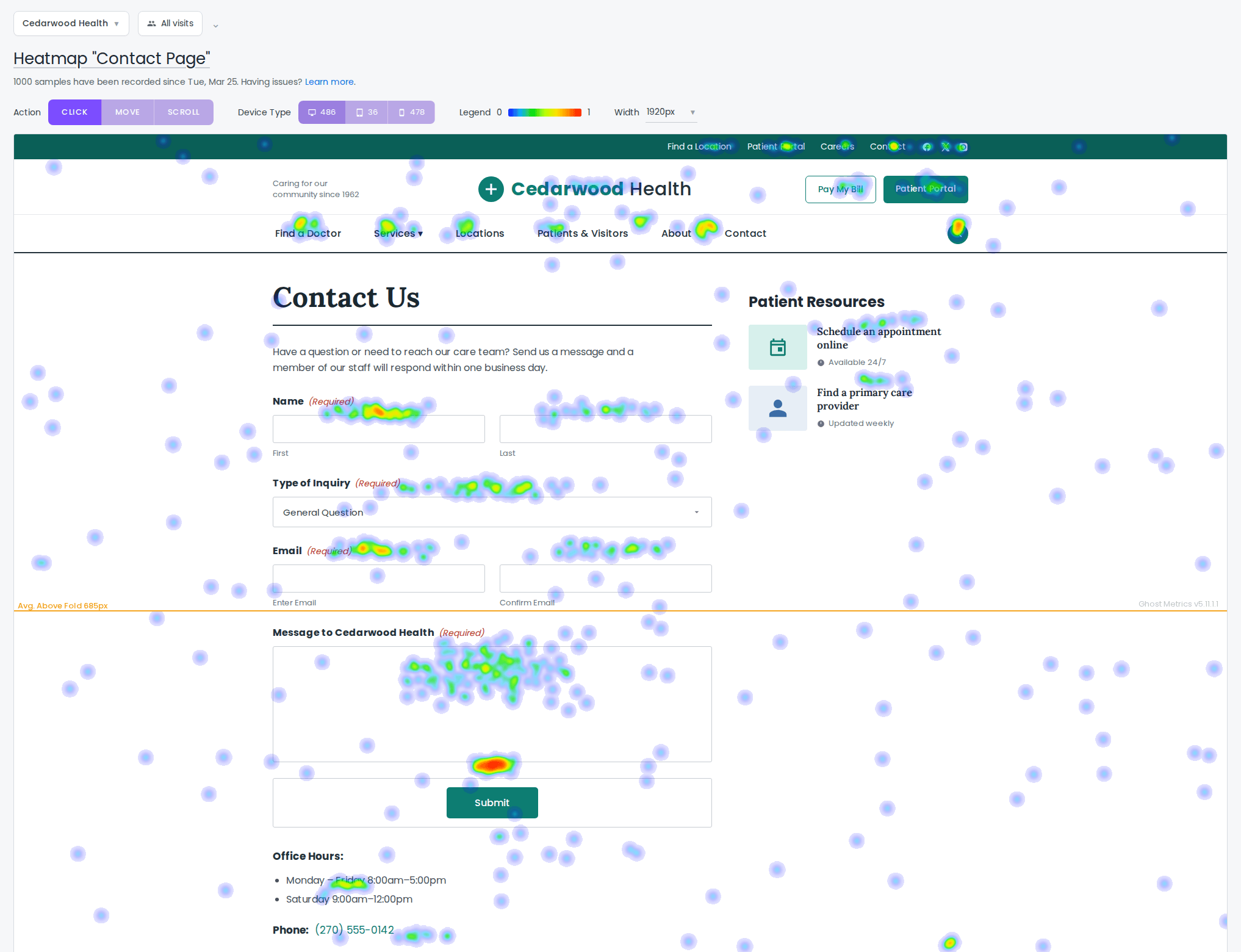
A click heatmap overlaid on a contact page, with the brightest spots on the form and submit button

Click, scroll, and attention maps.

See where visitors click, how far they scroll, and what actually draws attention, aggregated across thousands of sessions into a single visual.
Click, scroll, and movement maps
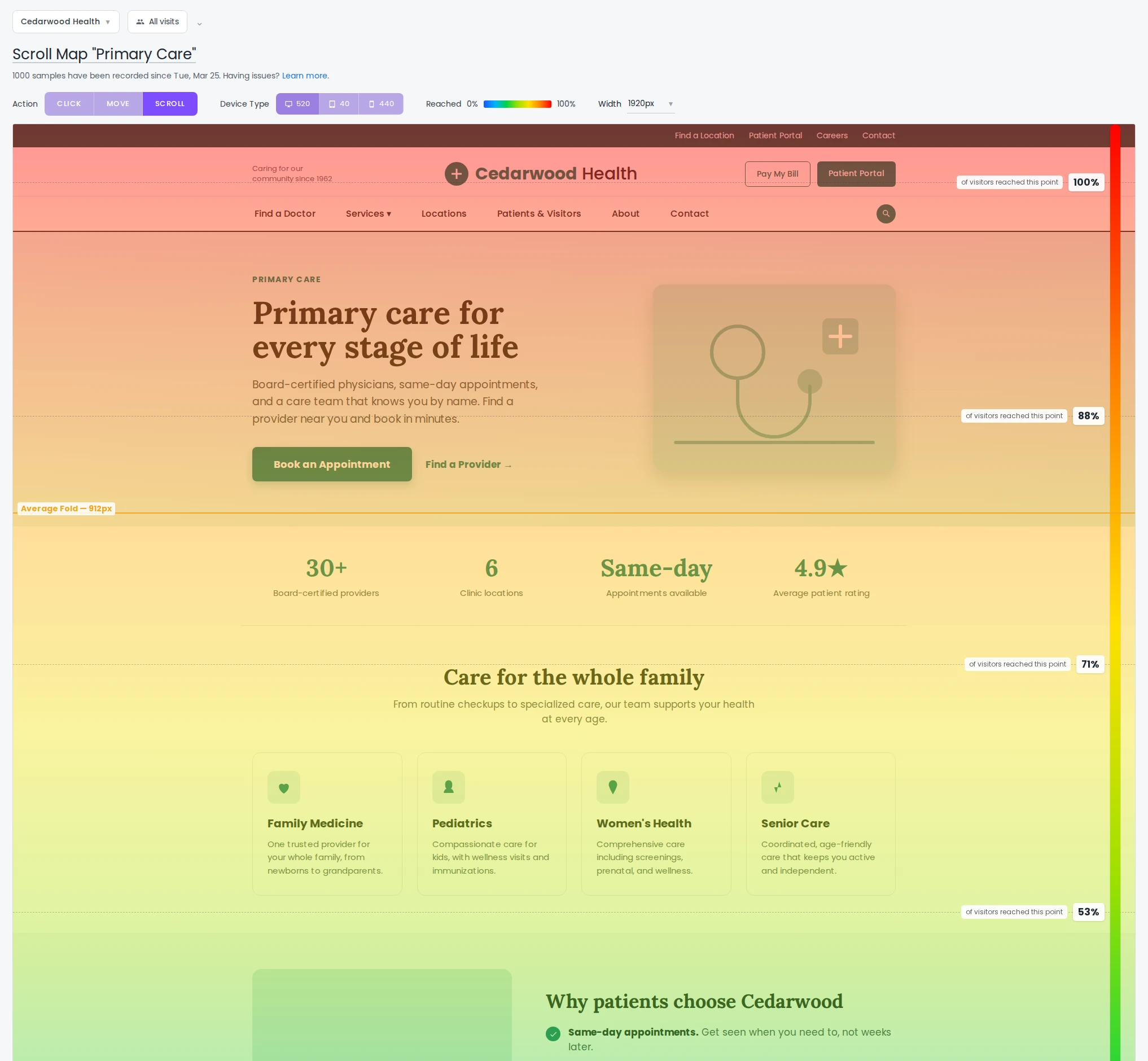
Scroll depth with average fold position
Separate maps for desktop, tablet, and mobile
A scroll heatmap fading from red at the top to blue lower down, with the average fold line marked

Session replay, safely redacted.

Replay real sessions to understand friction. Every form field is masked automatically, and you can redact any other element you flag, all before a recording is stored.
Automatic masking of all form fields
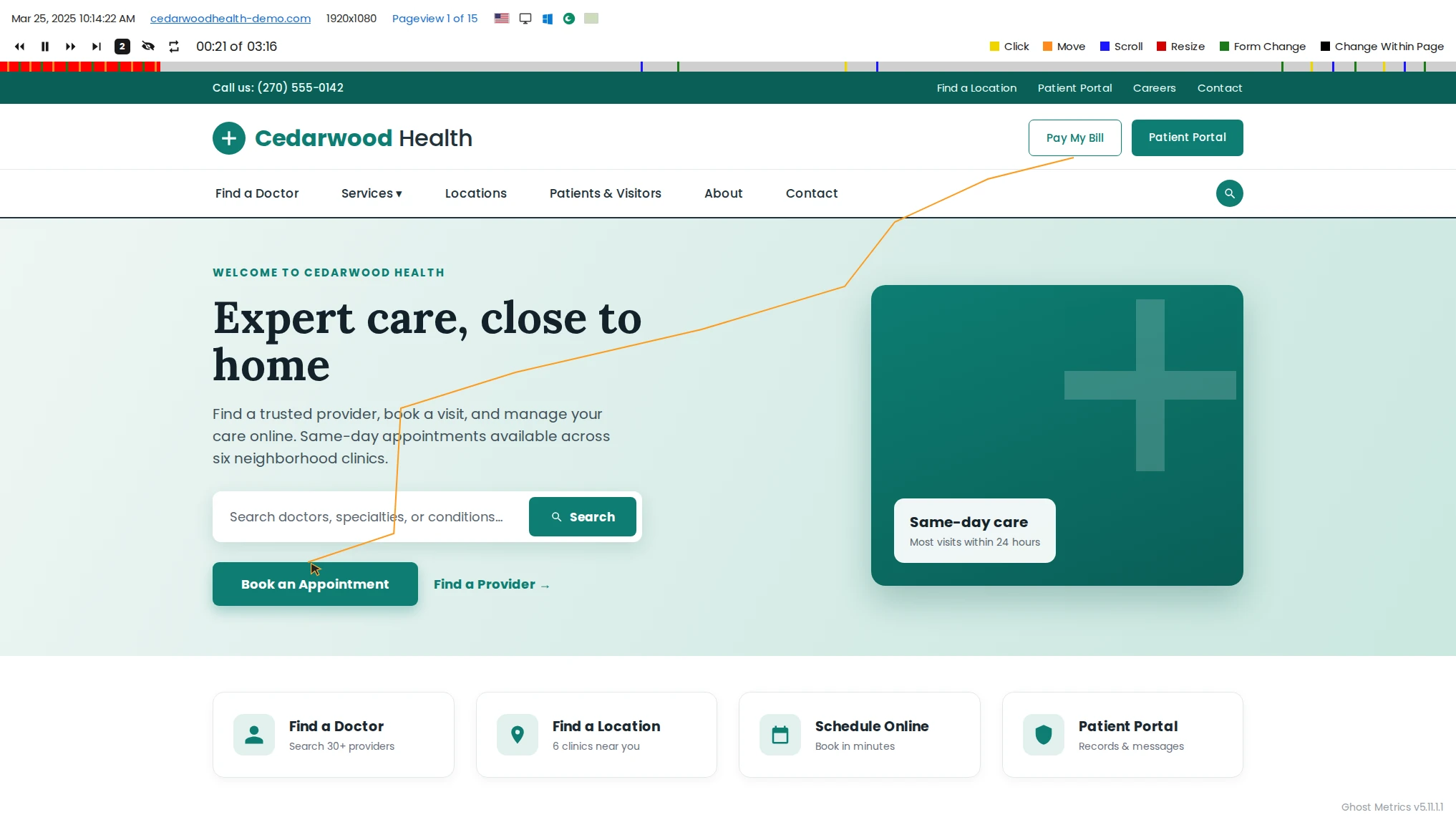
Replay full sessions across page views
Nothing identifying is ever captured
The session replay player tracing a visitor cursor path across a page, with playback controls and an event timeline

Understand behavior. Protect privacy.

Rich qualitative insight, with compliance built into every recording.

Click maps

See exactly where attention and clicks land on each page.

Scroll depth

Find the fold that matters and where readers drop off.

Move maps

Track cursor movement as a proxy for attention.

Session replay

Watch anonymized sessions to spot friction and bugs.

Automatic masking

Form fields and any flagged element are masked before storage.

Segment & filter

Slice maps and replays by device, source, or behavior.

Heatmaps & replay, answered

How do you keep recordings HIPAA-compliant?
Every form field is masked at capture time, before the session is transmitted or stored, and you can flag any other element to redact. Combined with our signed BAA, that keeps PHI out of your recordings.
Can I exclude certain pages or fields?
Yes. You can exclude entire URLs from recording and add custom masking rules for specific elements on top of the automatic defaults.
Will recording slow down my site?
No. Capture is lightweight and asynchronous, and recordings are sampled intelligently so there's no impact on the visitor experience.
Can I control which pages get recorded?
Yes. Target heatmaps and recordings to specific pages with URL patterns, set a sample rate, and choose to only record engaged visitors. Recording less is often the most privacy-friendly default.

See the why behind the numbers.

Add compliant heatmaps and session replay to your site in minutes.